Your safety should never be compromised.
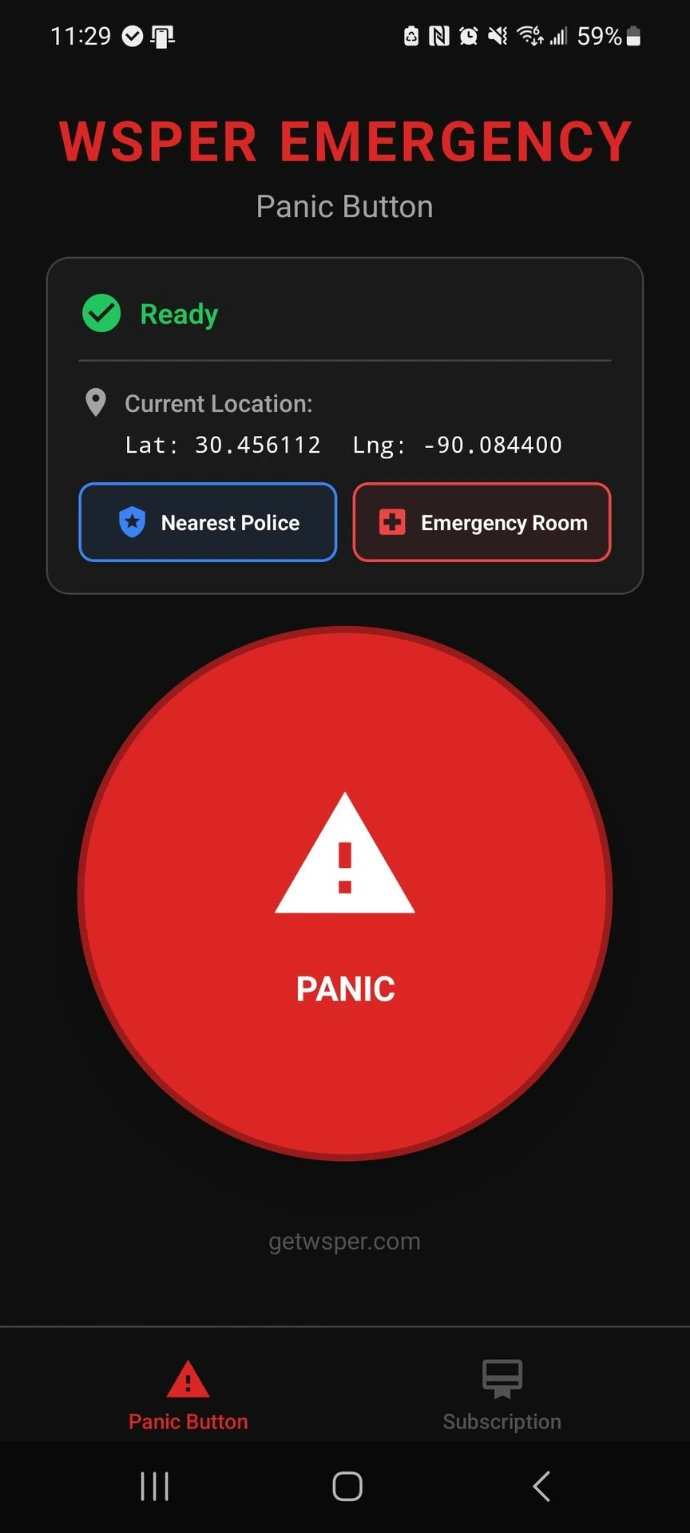
WSPER’s Panic Mode provides an instant, reliable way to alert authorities or staff in an emergency. Whether you're in a restaurant, retail store, or any other business, this mode ensures that help is always just a button press away.
✽ Our Device
WSPER Panic Button – On the Devices You Already Own
Why WSPER?
- Turns your existing Android mobile computer or scanner into a fully functional panic button — no extra hardware needed
- Works over LTE or Wi-Fi networks — stays connected wherever your device goes
- Rapid activation: single press triggers alerts instantly
- Real-time device health and battery monitoring to ensure readiness
- Seamless video integration: links panic events to integration platforms for informed emergency response
- Panic activations are automatically logged and viewable within integration platforms
- Supports compliance with NY Safety Act and other lone worker safety regulations
How it works:
Emergency Activation
A panic button is pressed, triggering an instant alert.
Real-Time Alert + Video
A dispatch agent receives the alert along with live video footage from nearby cameras.
Custom Response Protocol
Based on your preferences, the dispatch agent either:
– Contacts designated team members for verification first
– or immediately alerts emergency services, then notifies your team
False Alarm Protection
Team members can cancel dispatch by providing a secure PIN via text or phone. If no response is received, emergency services are dispatched.
Event Logged + Video Tagged
The panic event is logged in the WSPER dashboard and automatically tagged in the Solink platform, with linked video footage available for later review.
Key Installation Steps
- Unbox Your Device
Open the package and remove your wearable panic button. -
Scan the QR Code
Scan the QR code provided by your administrator to automatically configure device settings, emergency contacts, and push notification routing. -
Activate the Button
Double-click the button to test functionality. You should feel a vibration and see an LED flash confirming activation. -
Test the Alert System
Confirm that SMS alerts are received by all designated users. -
Wear or Carry the Device
Use the included lanyard to wear it securely and keep it easily accessible. -
Train Your Team
Ensure your staff knows how to activate the wearable and understands the alert process.
Interested in WSPER Panic Buttons?
Contact Us Today!
Ready to enhance your security with our next-gen panic device? Get in touch with our sales team to learn more or to request a demo.
How It Works
Simple, Reliable, Stand-Alone Solutions
WSPER devices are built for simplicity and reliability. Each mode operates on its own device to maximize performance. Installation is quick, and devices connect via LTE-M for seamless monitoring. Whether you need a panic button, door sensor, or temperature monitor, WSPER adapts to your cannabis business needs.
Ensuring Safety and Preparedness
Protect Your Most Valuable Assets: Your Team and Guests
The WSPER Panic Button provides a reliable, easy-to-use solution for emergency situations. With instant alerts, secure communication, and fast response capabilities, your team stays safe and ready for any emergency. Keep peace of mind knowing that help is just a button press away.